

Hannah H.
Garmin
Brand
Forerunner 265
Product
$450
Retail Price
Garmin
Retailer
I bet you don’t know all of the cool things your Garmin watch can do.
I bought my Garmin Forerunner 265 running watch in November 2025 for a whopping $300. 12-year-old Kmart Casio-watch-wearer-me would be astounded.
The Garmin 265 was expensive, but I knew I would be getting these specific features:
- AMOLED display
- Garmin’s accurate GPS
- Long battery life
- Waterproof durability
- Garmin Connect App access
- Garmin Pay
- Message preview
- Music download
I also knew what I wouldn’t be getting:
- Service without a phone
- Solar charging
- MIPS-level battery life
- A metal bezel
- Mic and speaker
- Torch (flashlight)
What I didn’t realize was how many other things the Garmin 265 running watch can do. After 6 months of usage, I can say this is the best $300 I’ve ever spent on a product.

Garmin Forerunner 265 Running Watch Hidden Features
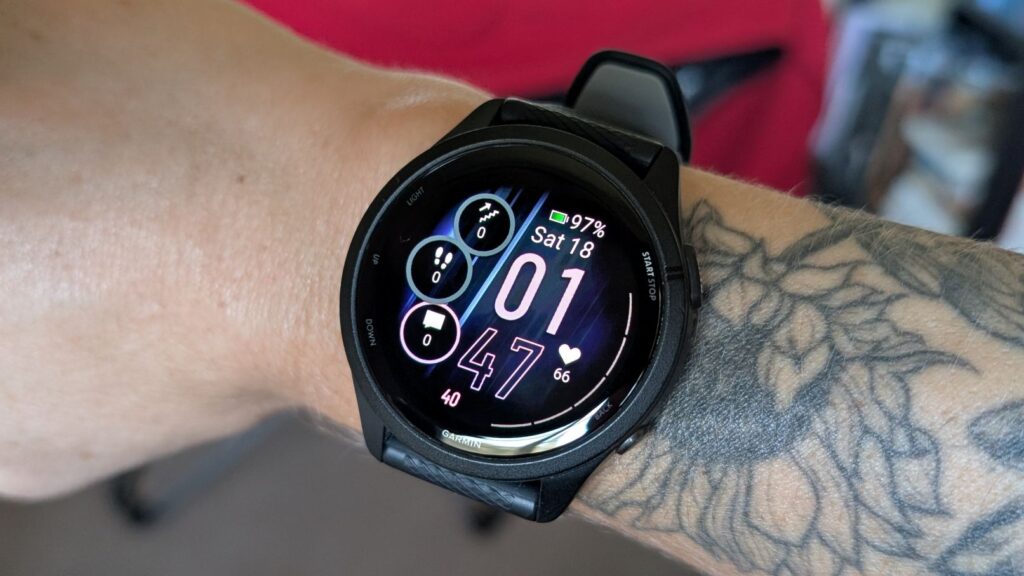

1. It Blithely Shouts My Lap Times at Me
“No stop signs, speed limit/Nobody’s gonna slow me down/Like a wheel – LAP 1, 8:45 – Gonna’ spin it…”
Amidst my AC/DC run reverie, an unknown woman declared my sad mile split through my earbuds. It kind of sounded like she was judging me.
I whirled around to see who was talking. I had no idea that my brand new Garmin Forerunner 265 running watch could announce my lap splits. Somehow the Lady of the Laps had found her own way into my Anker P20i earbuds that are Bluetooth-connected to my phone.
Garmin Forerunner 265 Running Watch Alerts
Six months later, I’ve come to welcome her interruption: my watch vibrates a little, the music ebbs, and her carefully neutral voice calls me out on my pace. Per the 265’s instruction manual, which I just read for this article, these lap pace announcements are just one of many Alerts features.
The easiest way to access the setting is to long press the Up button. Then scroll into the Settings and keep scrolling to Audio Prompts.
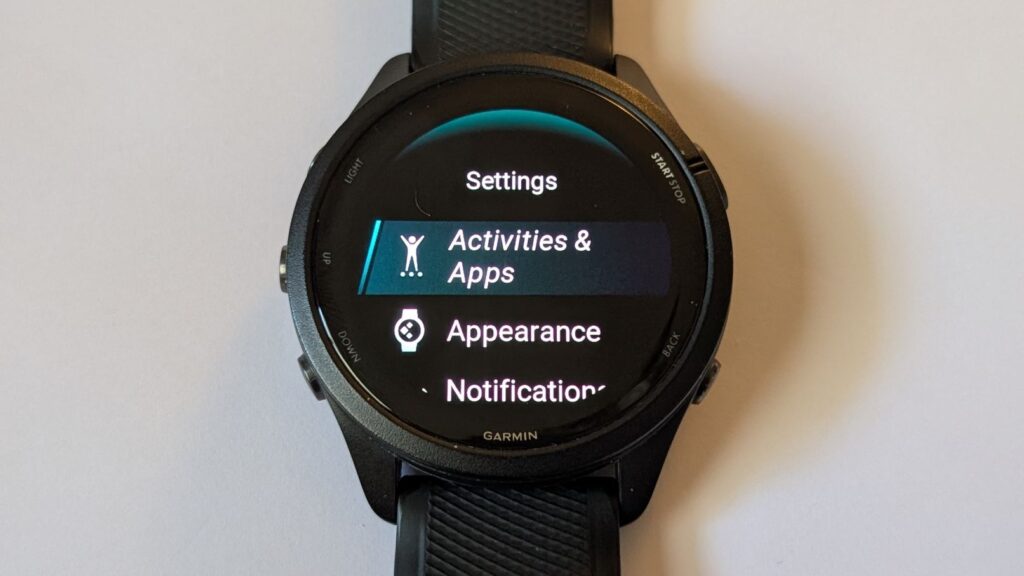
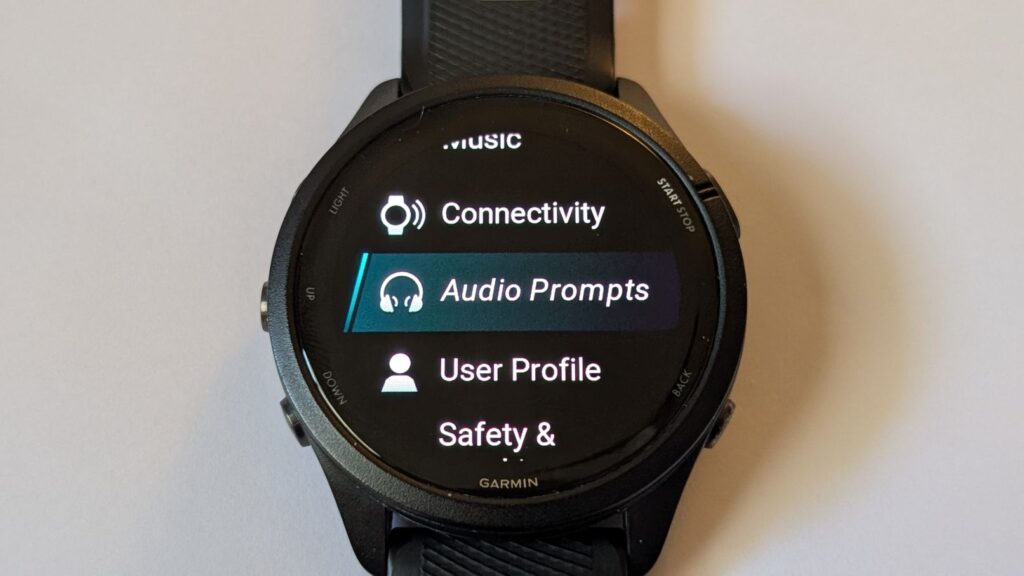
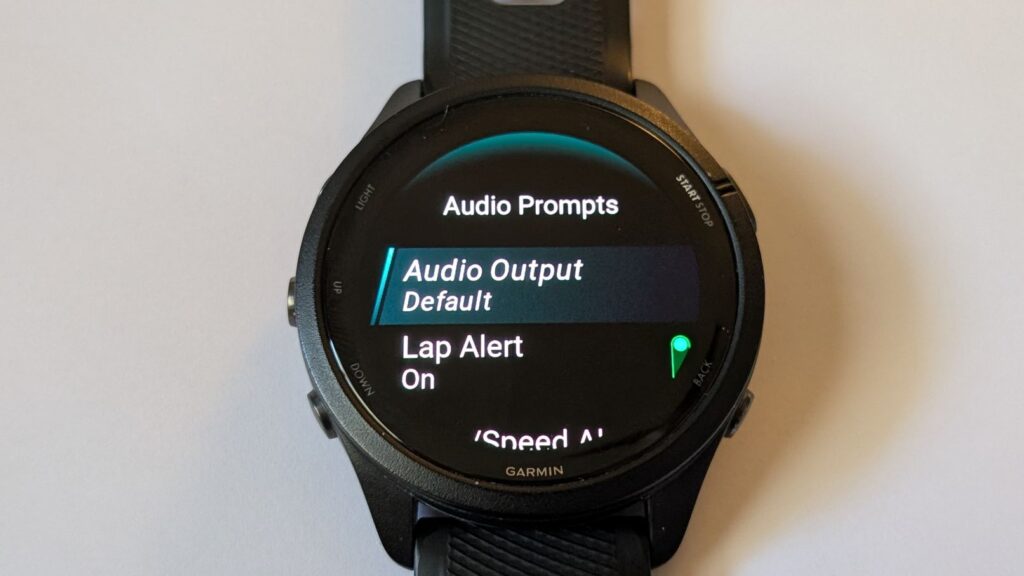
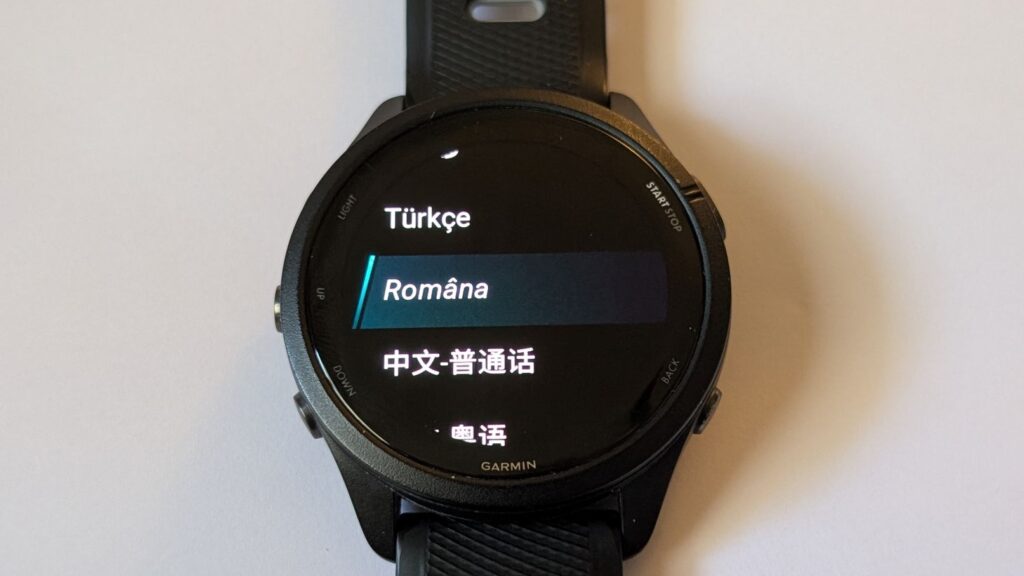
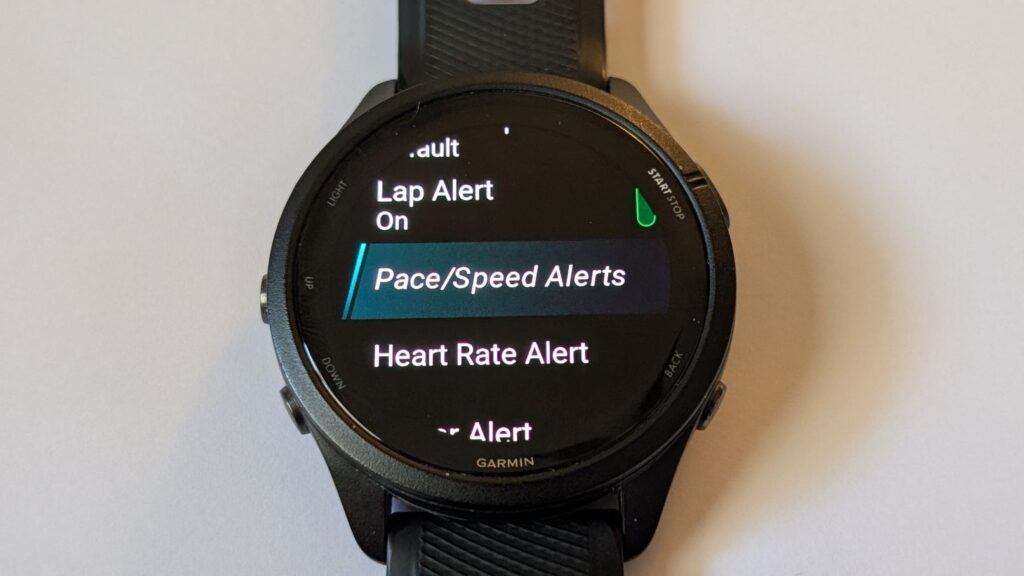
There are also Pace/Speed Alerts, Heart Rate Alerts, Power Alerts, Workout Alerts, and Activity Alerts, some of which are on by default. You can change your narrator’s dialect, language, and gender. I’m sticking with my familiar Lady of the Laps for now.
It’s both motivational and informational to have an auditory timeline of my run. I also love it for interval workouts, so I don’t have to break form and check my splits when I’m running hard.
2. It Does Have a Flashlight, Sort Of
Technically the Garmin Forerunner 265 has extra screen brightness that acts as a flashlight, but it’s perfect for finding my phone in the dark.vOne day, I really looked at the face of my watch, and it registered that the top left button has the word Light delicately inscribed next to it. Yes, the Light on the Garmin Forerunner 265 running watch is important enough that it has its very own label that I never read.
Flashlight Options
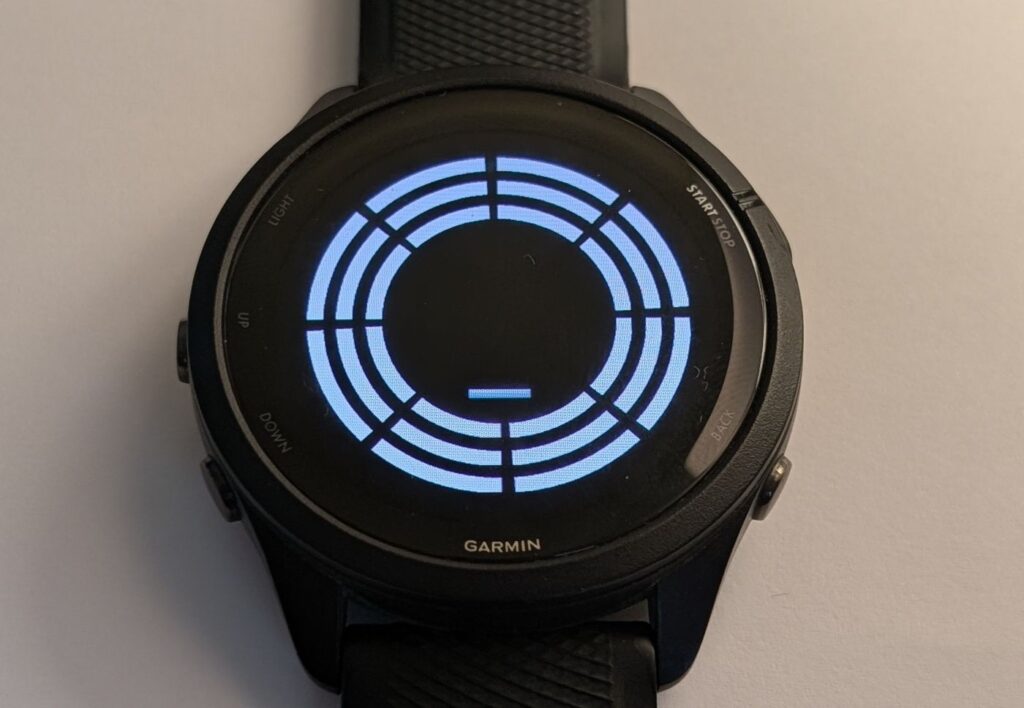
Quickly double-press the Light button to access the flashlight screen of bright white rings. Once there, the Up and Down buttons (I finally read those ones too) lower or increase the brightness from 1 to 3 rings. Keep going Down and you eventually reach the red glowing final circle of Hell, like Garmin’s Inferno.
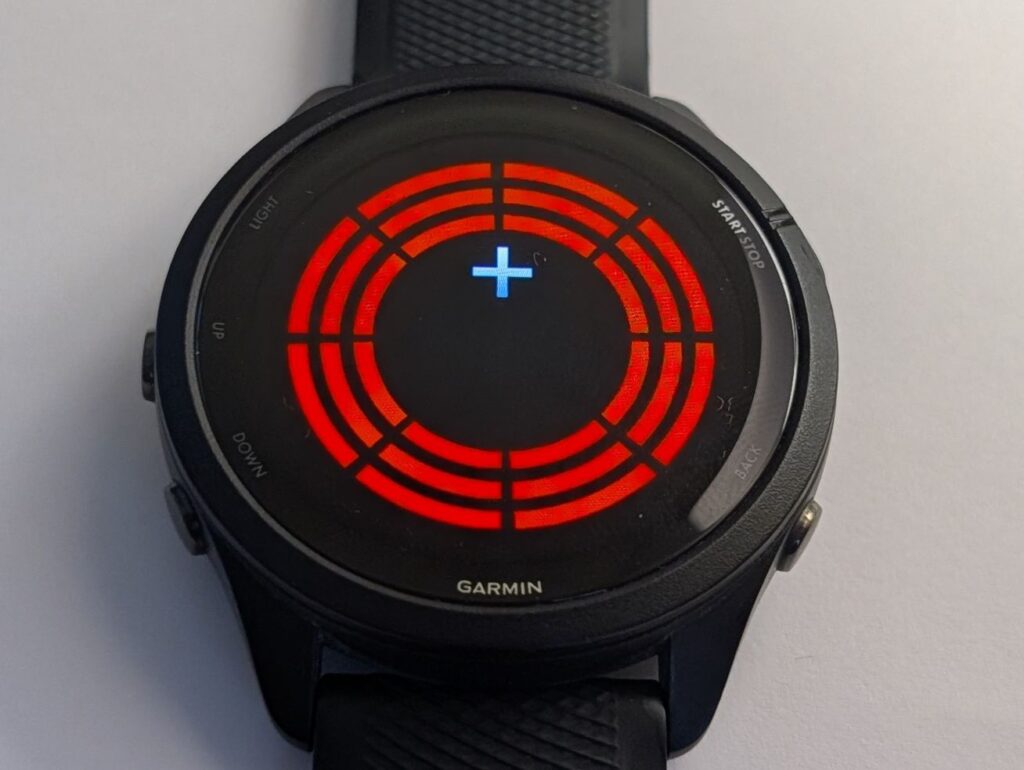
I honestly don’t know what the red light is for, but the white one is perfect for quick, close illumination. I use it when my phone tumbles into shadowy nooks and crannies. Since it only illuminates about 6 inches, the flashlight is useless in wilderness night-time conditions. This is not like other Garmin running watches with actual LED torch flashlights that can scatter thick murk.
But the Garmin Forerunner 265 running watch light does help on runs that drag on past sunset – especially in combo with the reflective strip on my trusty Sport2People running belt. While the watch-light can’t fend off dusk’s shadows for my own eyes, it makes me more visible to cars, like a firefly flitting down the sidewalk.
3. My Garmin Forerunner 265 Motivates Me With Shiny Colors
I thought I was immune to the gamification of fitness – and then I made it to the Garmin Forerunner 265’s “Superior” violet zone.
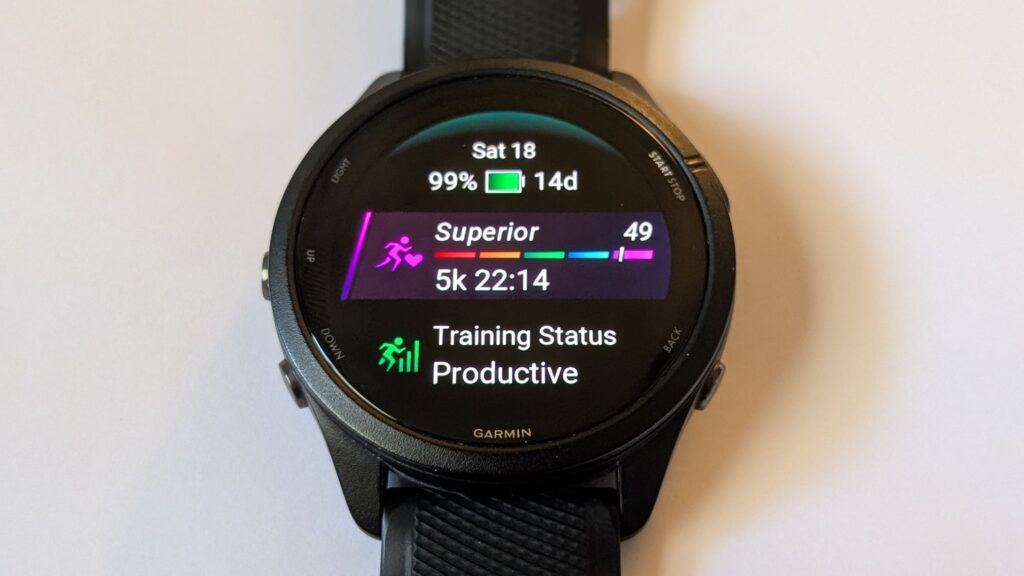
It’s a beautiful place to be, like standing in a meadow of sun-steeped pansies. It’s the ultraviolet of video game boss levels – and I am the boss. It’s even sweeter because I traveled for many miles through the green and sky blue zones to reach this purple place in my “Performance.” And now I must maintain my Superiority over my former, out-of-shape self.
I didn’t even realize I was on a color journey when I started wearing my running watch. I glossed over the Red-Orange-Green-Blue-Violet chart, hungrily searching for my messages. Then I noticed that I was creeping along the rainbow after my runs.
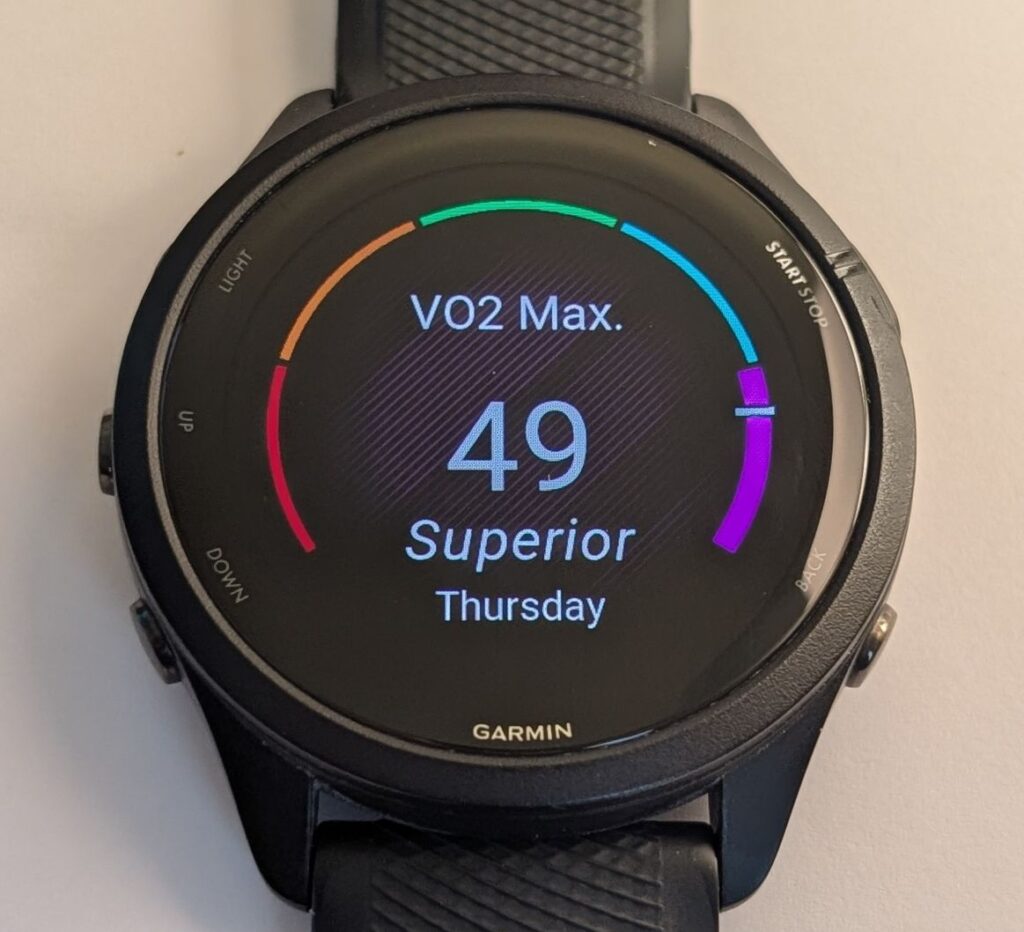
The VO2 Max. Rainbow
It turns out, this is the VO2 Max. rainbow. Per Garmin, “VO2 max. is an indication of athletic performance” and the colors represent the VO2 Max. estimate for: Poor-Fair-Good-Excellent-Superior.
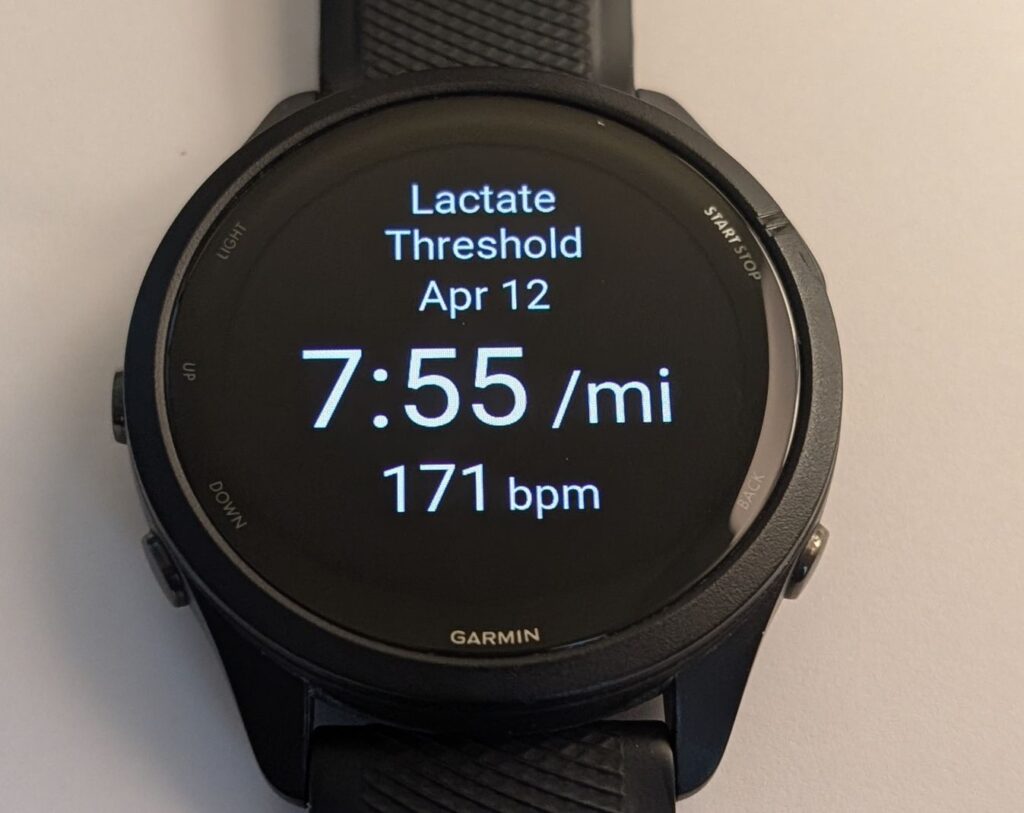
My VO2 Max. is sitting at 49, which is in the top 5% for my age and gender. From this number, the Garmin Forerunner 265 running watch estimates my lactate threshold and my race times. It currently predicts a pitiful 22:14 for my 5K, so I don’t know how accurate these numbers are. I guess I’ll just have to prove it wrong.
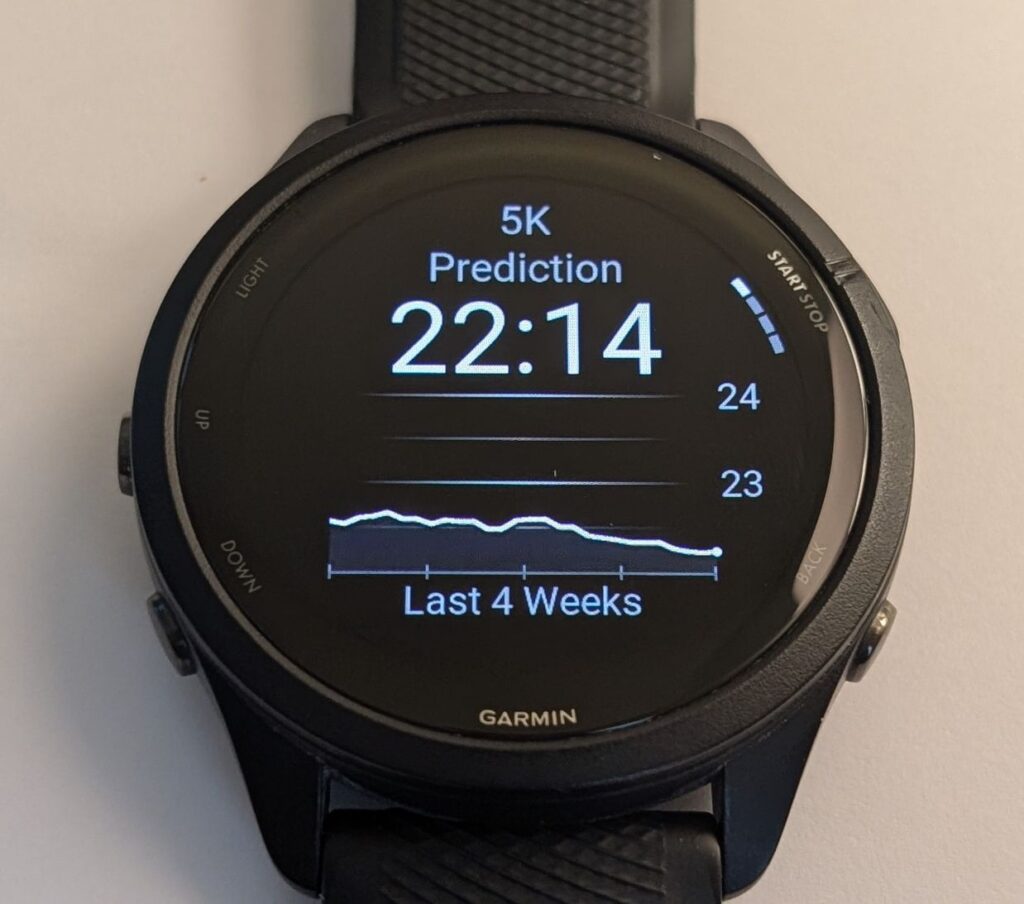
In Color for the First Time
I came from the grayscale MIP world of the Garmin Instinct E-Sports. As I mentioned, an AMOLED display was one reason why I chose the Garmin Forerunner 265 running watch. The aesthetic contrast is extreme – the sacrifice in battery life is absolutely worth it for a more vibrant watch screen (and the 265 battery is still very, very respectable).
The E-Sports also didn’t have a VO2 Max. feature, so we just kind of muddled along together, living by my heartbeat. It was a simpler time. Now that I’ve entered the world of complex, colorful performance ratings, I don’t want to go back. I didn’t buy the the Garmin Forerunner 265 running watch for this feature, but I’ve used it everyday since I discovered it.
What’s at the end of the rainbow? I’m determined to find out.
4. It Makes Me Pay Attention to the Sky and Weather
One day I was at work, working really hard, and started exploring what I now know is the Glance Loop on my watch. To get to my Glances, I swipe up/down or press Up/Down from the clock screen. I regularly looked at the Steps, Heart Rate, and Messages, and eventually the VO2 Max, but glossed over the other default ones. This time, I decided to explore the Weather.
Garmin Forerunner 265 Running Watch Weather Glance
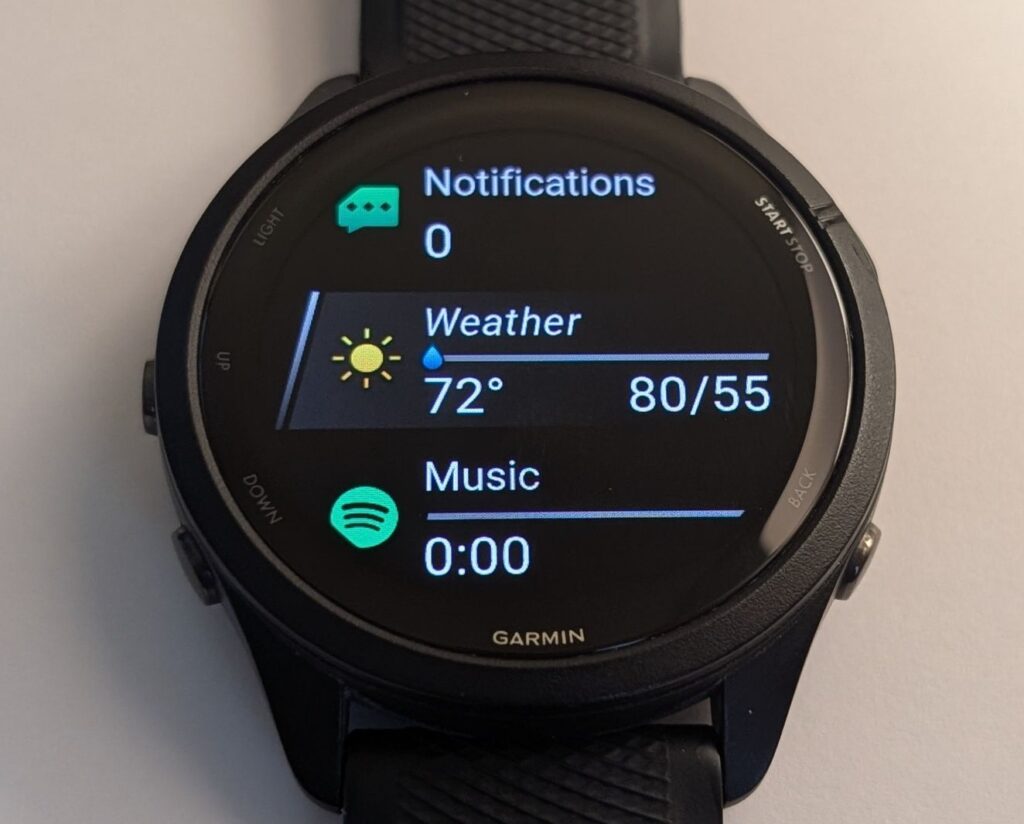
That’s when I realized my watch weather has an air quality info screen. It shows the air quality, (e.g. moderate), the UV Index, the dew point and a rating (e.g. pleasant), and the humidity for my GPS location.
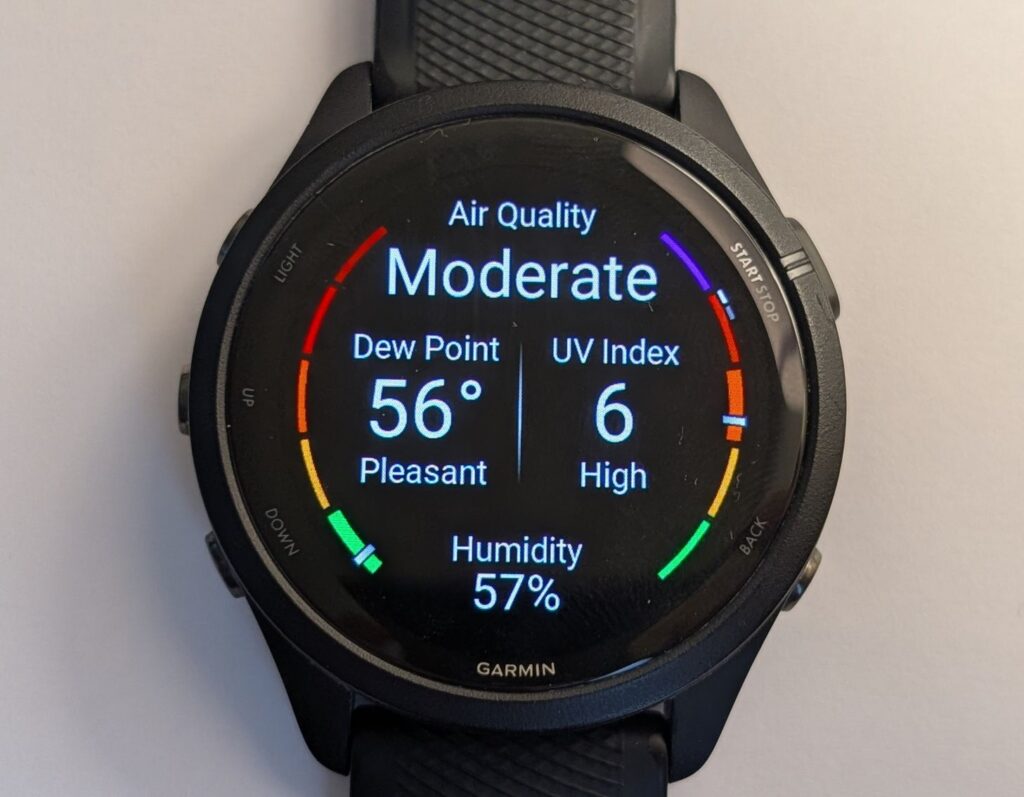
As an outdoor runner in an urban area, I want to know these things before planning my run, and they’re not always in one place on weather apps – especially the UV index (even my favorite Aveeno sunscreen is no match for extreme UV). Having this info on one screen on my wrist is a game-changer.
The weather on my Garmin Forerunner 265 running watch also shows things like temperature, wind, rain, hourly and daily forecast, and a 12-hour trend. Because it’s all in one nice portal, for the first time in my life, I actually plan my runs around the forecast.
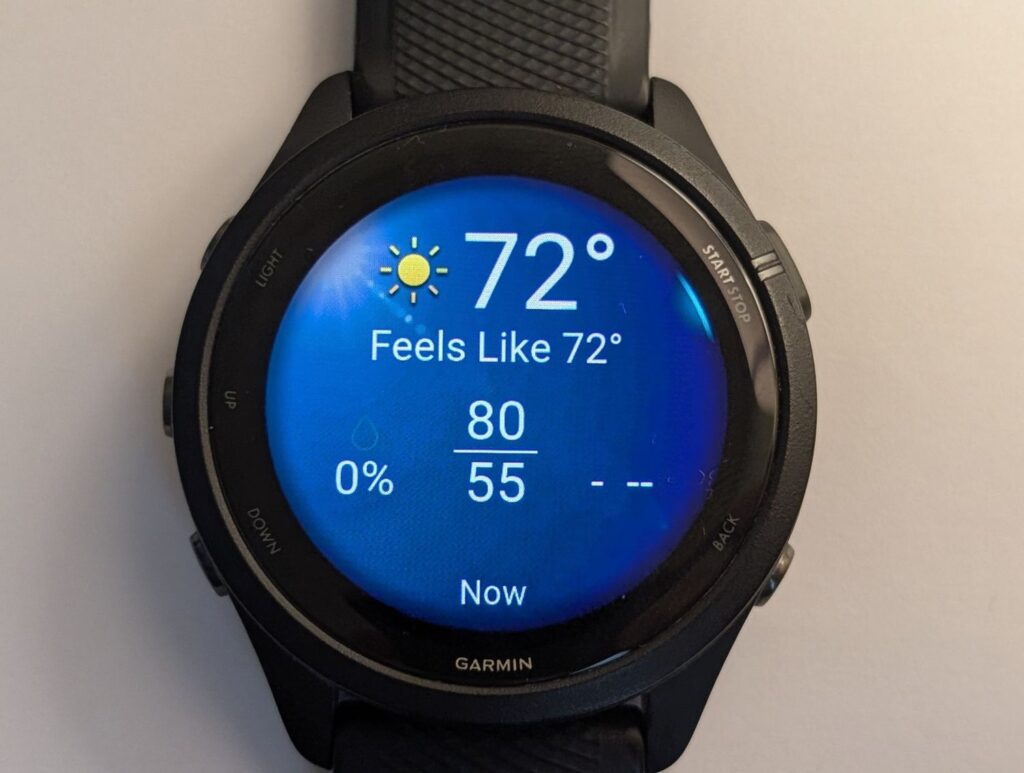
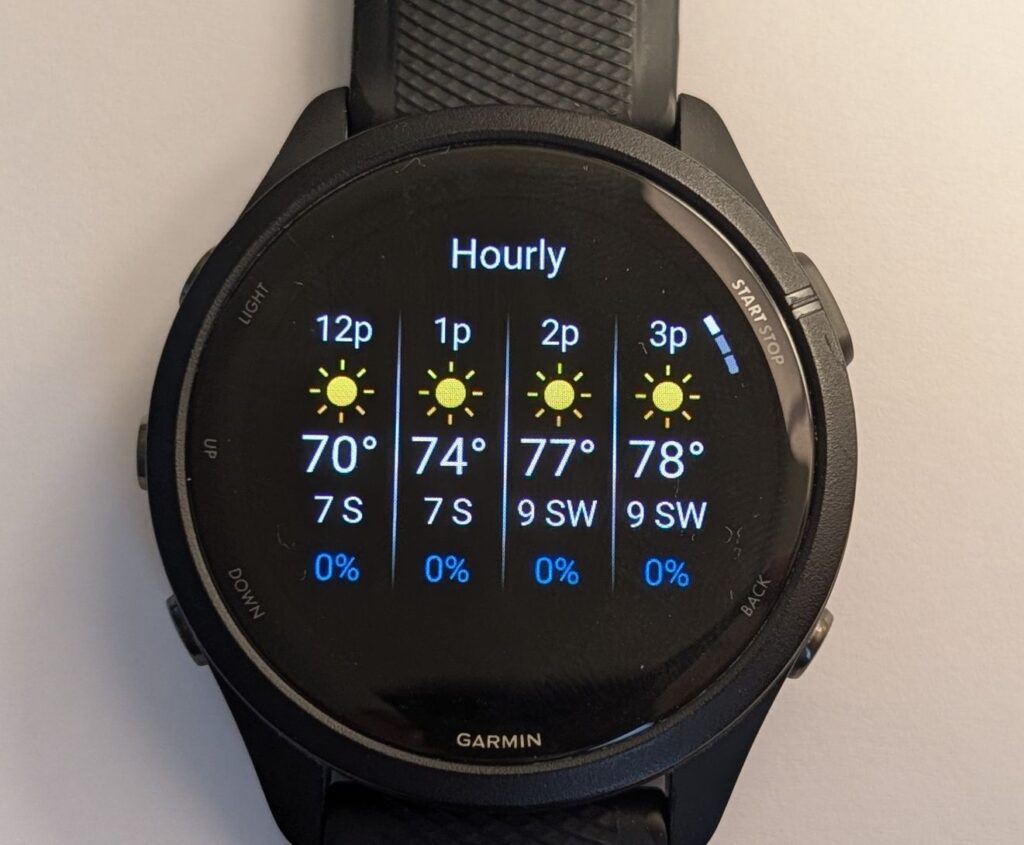
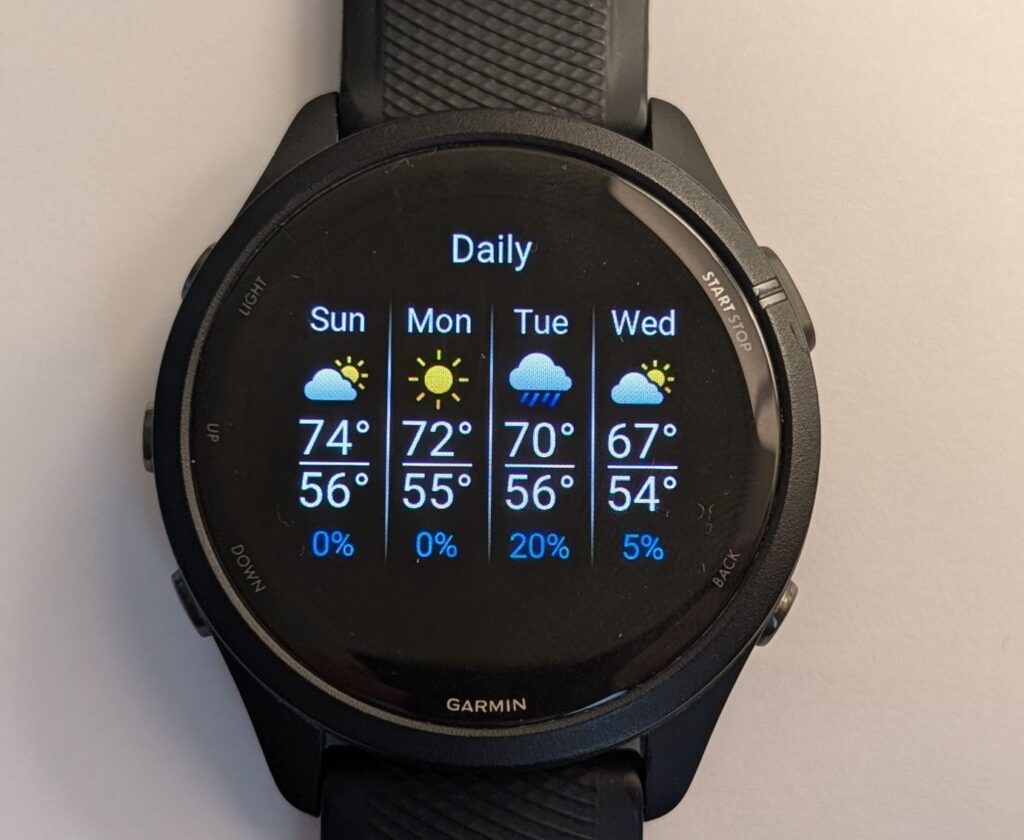
Day and Night
The Sun
Since I liked the Weather so much, I started playing with the other Glances.
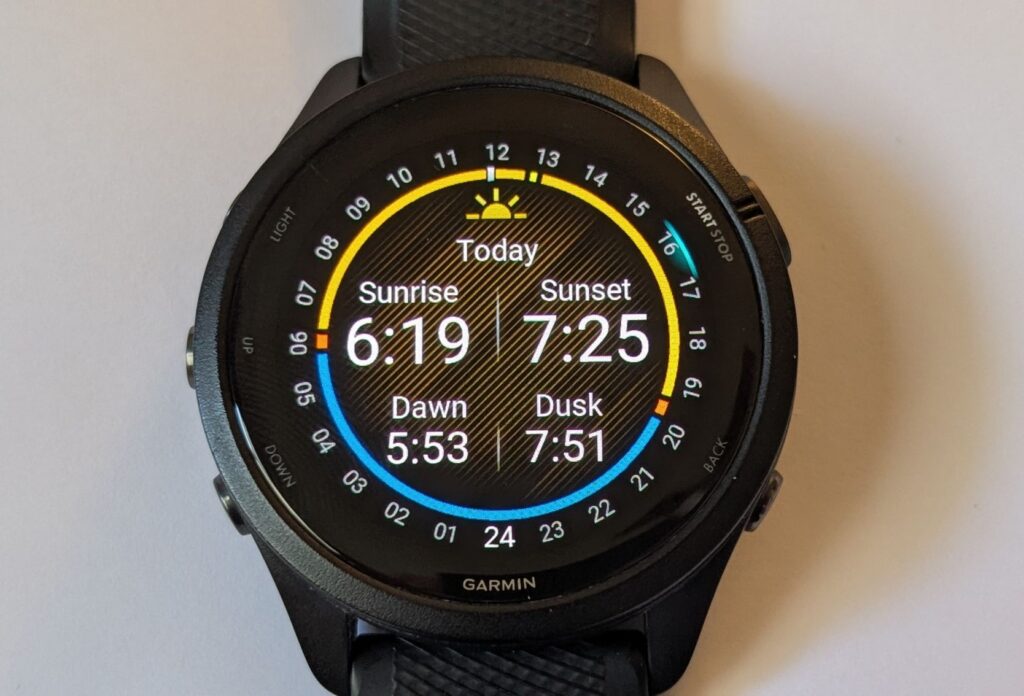
One of them is Sunrise/Sunset. My old Garmin watch had this too, but the Garmin Forerunner 265 version is 10x prettier. It’s like I’m looking at a golden sundial. The ring around the edge charts how much daylight remains. From this screen, I can even turn on custom Alerts that tell me how long I have until sunset or sunrise.
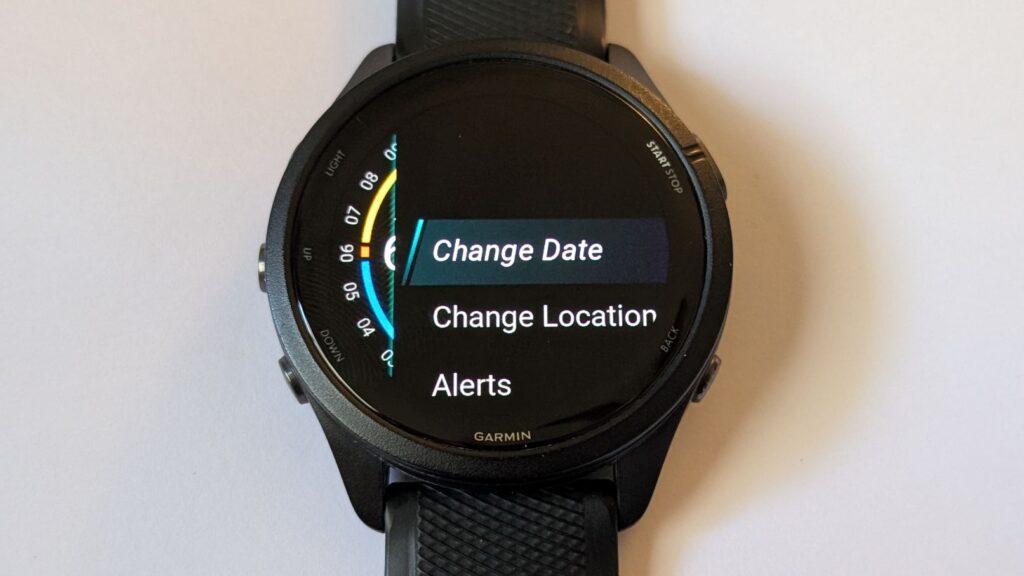
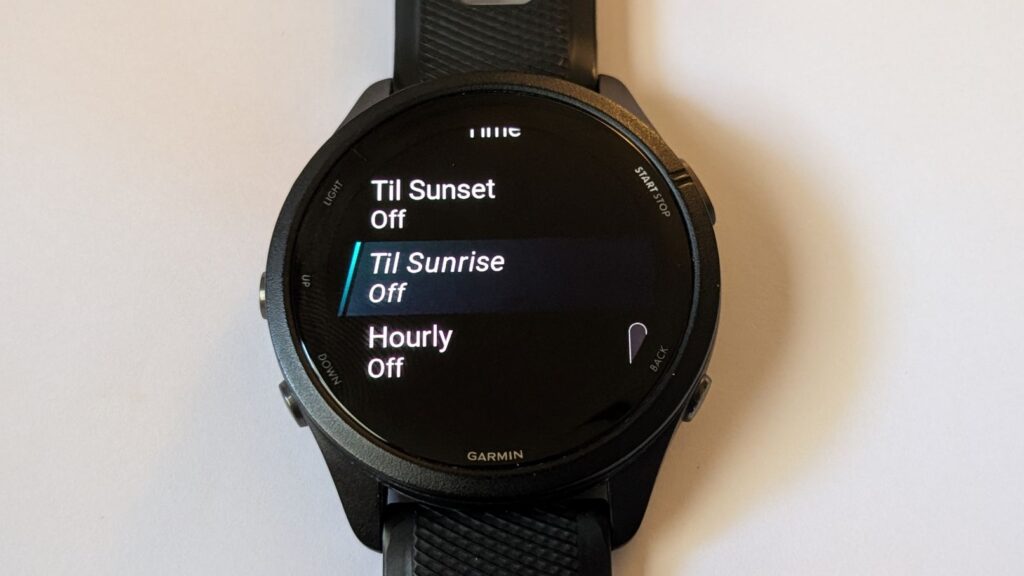
This feature is super helpful when I procrastinate on my run and need to know if I have enough light left before it becomes too dark to be seen on the streets.
The Moon
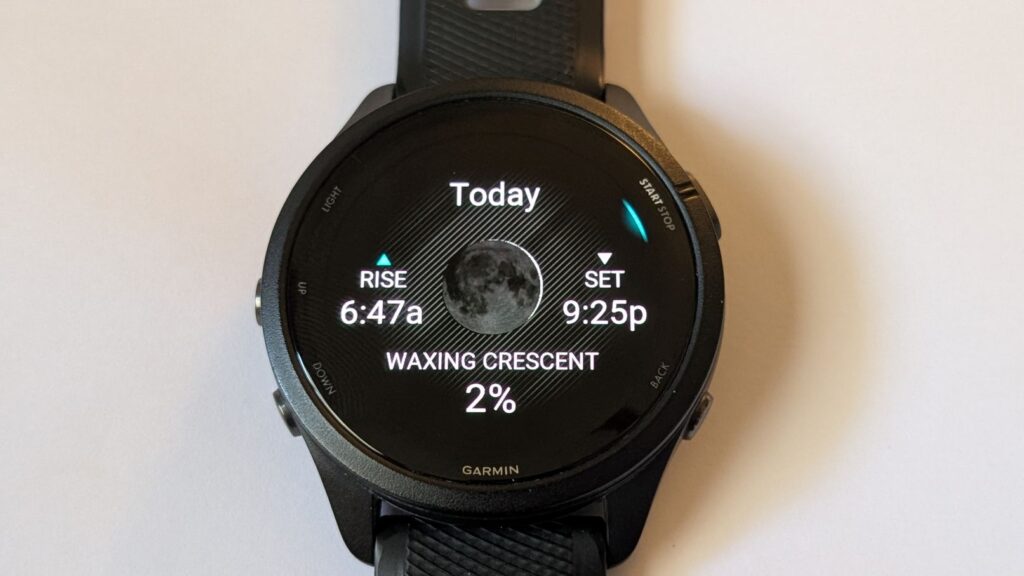
There’s even a Moon Phases Glance. It lists the moonrise, moonset, and the percentage of the moon phase. Yesterday was a new moon. I have no idea how these lunar insights will help me on my runs, but now I feel a little more connected to our night opal.
5. It Has a Freakin’ Metronome
I mean, what!? That’s something I never would have imagined I needed on my runs. But it’s on the Garmin Forerunner 265 running watch under my Run Settings. Don’t ask me how I discovered this one (I accidentally bumped some buttons).
To get there, I press the Start/Stop button, then I select my activity (e.g. Run). I then hold the Up button, and select Run Settings. From there, I scroll to Metronome.
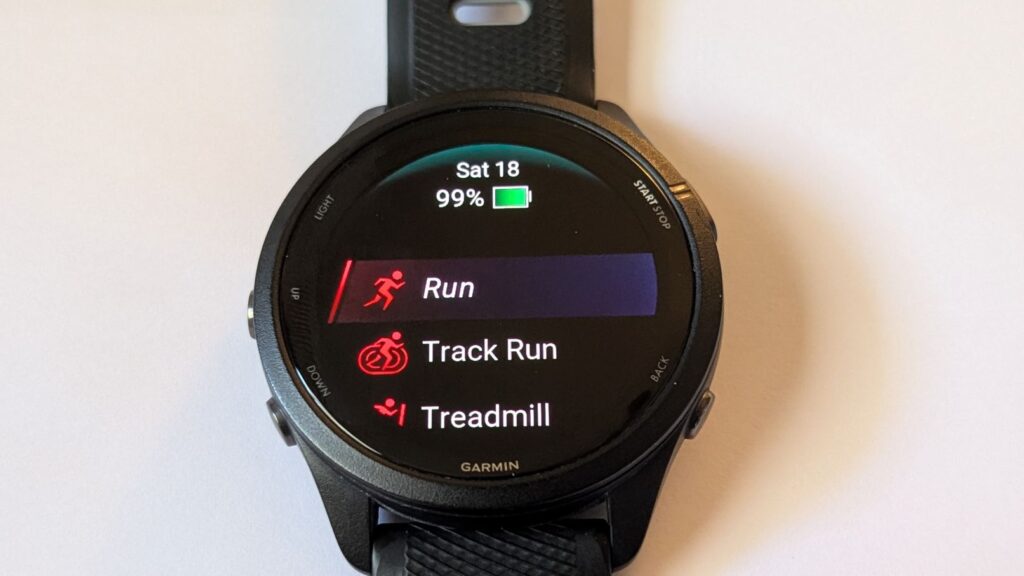
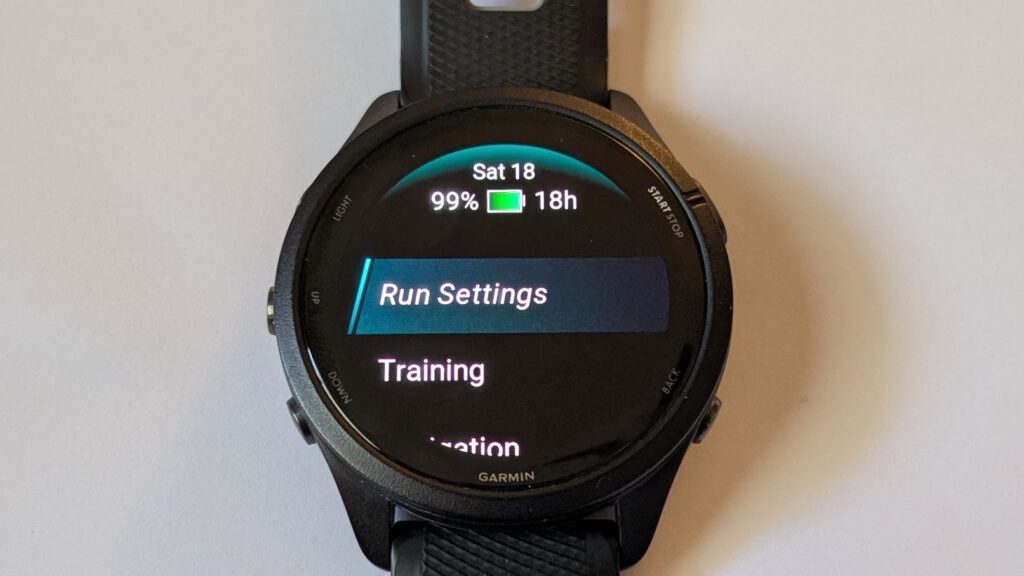
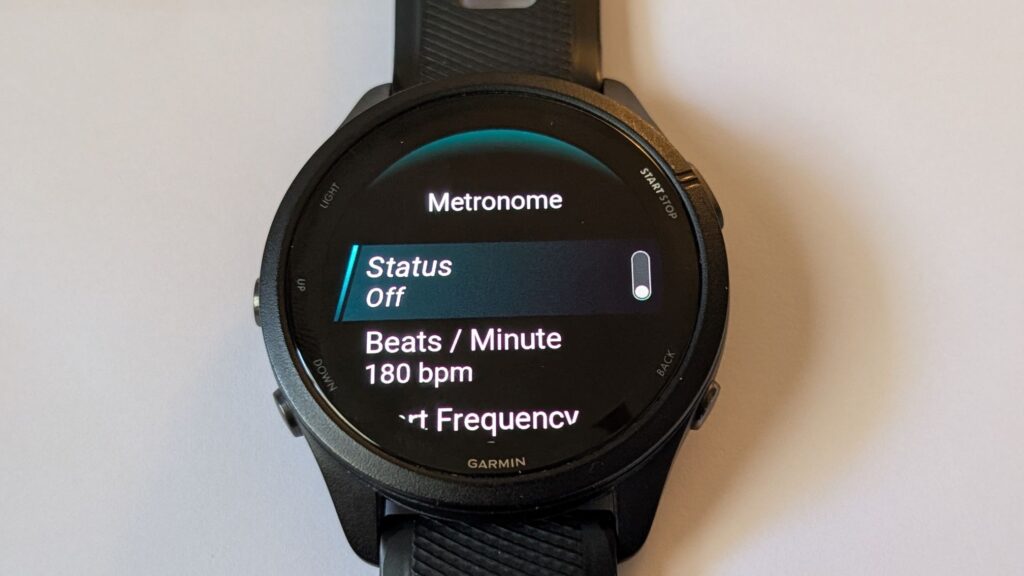
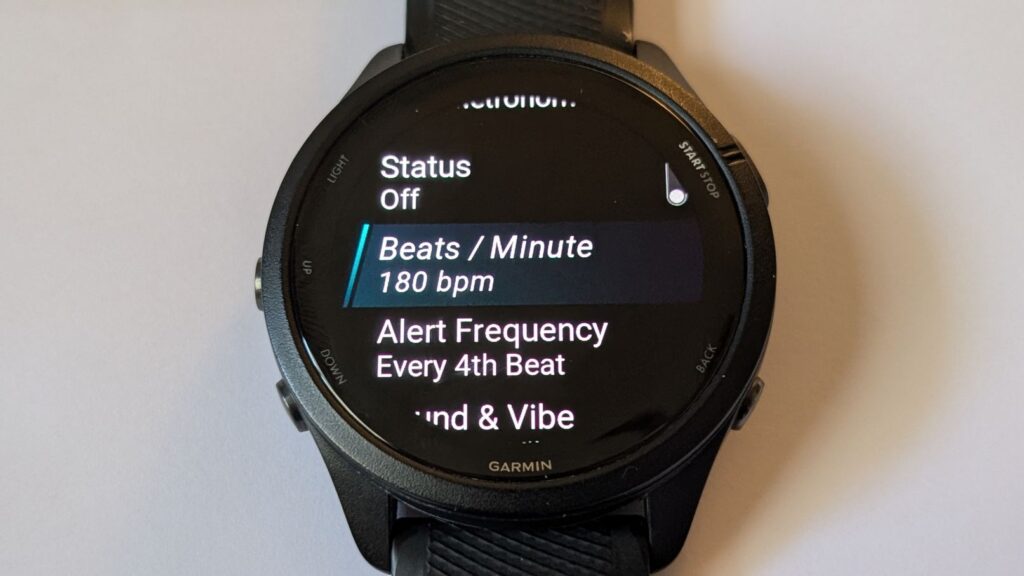
Though I was initially stunned to see a musician’s tool on an athletic watch, it actually makes a lot of sense. When I need a pick-me-up on my runs, I switch to a 160 BPM Spotify playlist. But who needs Spotify Premium when I’ve got Garmin hidden rhythm features?
The metronome can be set to a different max BPM based on activity. For example, I tested it on the elliptical and it only went to 90 BPM. For runs, it goes up to 240 BPM. A 240 BPM rhythm would be pretty crazy on an elliptical.
You can also change the Alert Frequency from every beat (quite aggressive) down to every 6th beat. Finally, you can select if you want just the tone, just the vibration, both, or neither. You don’t need a headset connected for this feature: the watch itself beeps and vibrates. It’s ideal for locking-in on a pace and cadence while working out, or if I need a guide while learning to play my guitar.
The Garmin Forerunner 265 Running Watch has a ton of other neat tools I just found while writing this review.
ABC, Pulse-Ox, Jet Lag Advisor, a Health Snapshot — I don’t know how any of these work, but I bet they’re helpful for my fitness journey.
I’m happy I wrote this article, because it made me go through my watch menus and also read the 132-page Garmin Forerunner 265 running watch product manual. There are literally dozens more neat features on this watch that I didn’t know about.
If you’re a runner wondering if the 265 is still worth its price in 2026 – it absolutely is. This watch was designed with runners in mind.
While all the neat features aren’t necessary to becoming a better athlete, they really do help me train smarter. I’m now more conscientious of my mile splits. I can use my watch as an emergency visibility device if it gets dark, and I’ve used it countless times to find my dropped phone.
I’m able to track my fitness level via bright colors that are surprisingly motivational. I check the forecast, air quality, and remaining sunlight before my runs. And I can train at a consistent cadence with the metronome.
And those are just the features I’ve discovered so far. I can’t wait to take the Garmin Forerunner 265 Running Watch out again and see what else it can do.
You Might Also Like
-

Hats Off To the Nike Dri-FIT Club Unstructured Featherlight Cap: A Review
I don’t wear this lightweight running cap for the brand name, but Nike lives up to its premium-ish name here.